Giving a presentation that really clicks can be a game-changer—it's often what keeps your audience hooked or, sad to say, makes them zone out totally. These days, with so much emphasis on visual communication, knowing your way around PowerPoint isn’t just useful; it's pretty much essential. I mean, according to John Smith, who’s a big deal in presentation design at Presentation Masters, "The secret to an eye-catching PowerPoint isn’t just about the words you put in, but how you visually bring that content to life." That really hits home, right? It reminds us that sharpening those skills makes sure every slide sticks and leaves a mark.
In this piece, I’m excited to share with you the Top 10 PowerPoint Tips for Creating Stunning Presentations—you definitely don’t want to miss these! These tips are all about turning your slides into storytelling tools that truly engage and inform your audience. From designing eye-catching slides to structuring your story so it flows naturally, these tricks will help you speak with confidence and clarity.
Start using these tips, and you’ll see your PowerPoint game leveling up in no time. Whether you’re talking to coworkers, clients, or classmates, getting these skills down can help you stand out and leave a memorable impression.

Understanding Your Audience for Effective Presentations
Understanding your audience is crucial for delivering effective presentations. According to a study from the Presentation Guild, 88% of audiences report that they are more engaged when the presenter tailors the content to their interests and needs. This highlights the importance of audience analysis, which can help in crafting a message that resonates well and maintains their attention. Knowing who your audience is—not just their demographics, but also their knowledge level and interests—allows you to adjust your tone, depth of information, and examples used within your presentation.
Furthermore, research from the National Speakers Association indicates that presentations that evoke an emotional response can have a significant impact on retention, with 70% of information retained when emotional engagement is high. By understanding your audience's interests and concerns, you can create a narrative that speaks to their motivations and experiences. Building this connection not only improves retention of your message but also fosters a collaborative atmosphere that encourages interaction and feedback, making your presentation far more effective and memorable.
Choosing the Right Template for Visual Appeal
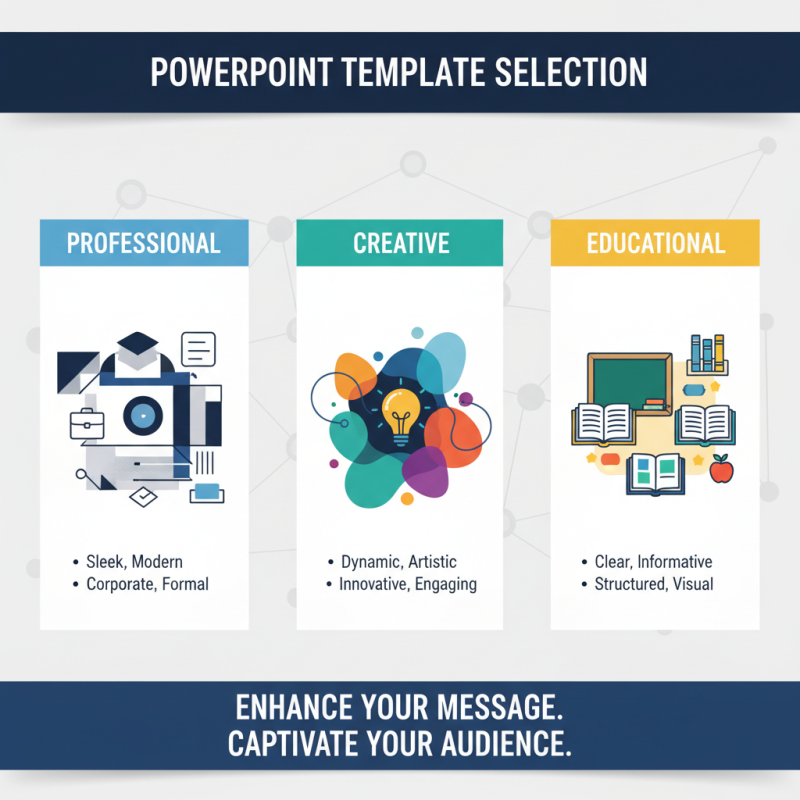
Choosing the right template is crucial for creating visually appealing PowerPoint presentations that capture and maintain your audience's attention. A well-designed template can enhance your message, providing a cohesive visual style that supports the content rather than detracts from it. Look for templates that align with the theme of your presentation; whether it's professional, creative, or educational, the right design should mirror the tone you aim to convey.
When selecting a template, consider factors such as color schemes, font styles, and layout. A template with a harmonious color combination can evoke specific emotions and help highlight the most important aspects of your presentation. Additionally, ensure that the font is legible and appropriately sized for your audience, as readability is key to effective communication. The layout should allow for a logical flow of information, making it easy for viewers to follow along without feeling overwhelmed or confused. By carefully choosing a template that complements your message, you can significantly increase the impact of your presentation.
Incorporating High-Quality Images and Graphics
In today’s visually-driven world, incorporating high-quality images and graphics into PowerPoint presentations is essential for capturing and maintaining audience attention. Research shows that presentations that include relevant images can improve understanding and retention, with studies indicating that people remember 65% of the information when it is accompanied by images compared to just 10% when presented through text alone. This reinforces the need for presenters to select visuals that not only enhance the narrative but also create an emotional connection with the audience.
Furthermore, the impact of design elements such as color and layout cannot be overstated. According to the 2021 Visual Communication Report, effective use of color can increase audience engagement by up to 80%. High-quality graphics and well-placed visuals help in illustrating complex concepts quickly and clearly, facilitating better comprehension. Moreover, presentations that embrace modern design principles are often perceived as more professional, potentially influencing the credibility of the presenter. Thus, focusing on the incorporation of stunning visuals is not just an aesthetic choice but a strategic one that can significantly improve the effectiveness of communication.
Using Typography to Enhance Readability
Effective typography is crucial for enhancing the readability of your PowerPoint presentations. The choice of font style, size, and color can significantly impact how your audience perceives and understands your message. When selecting fonts, it is essential to opt for clear, legible typefaces that cater to your audience's needs. Sans-serif fonts are often preferred for digital screens as they offer a modern and clean look, making your text easier to read from a distance. Maintaining a hierarchy through the use of different font sizes and weights can guide viewers' attention and help them discern the most important information quickly.
In addition to font choice, spacing plays a vital role in ensuring legibility. Adequate line spacing (or leading) can prevent your text from appearing cramped, allowing your audience to consume the information without strain. Similarly, proper margin use can frame your content effectively, offering a clean and organized appearance. Color contrast is another essential element to consider; pairing light text on a dark background, or vice versa, enhances visibility and helps key points stand out. By meticulously choosing typography elements, you can create visually appealing slides that captivate your audience and facilitate better communication of your ideas.
Mastering the Art of Storytelling in Slides
Mastering storytelling in presentations is essential for engaging your audience and conveying your message effectively. According to a study by the Wharton School of Business, storytelling can increase information retention by up to 65% compared to traditional presentations. This indicates that when you weave narratives into your slides, your audience is more likely to remember not just the facts and figures you present, but the key takeaways as well. By framing your data and insights within a compelling story, you create an emotional connection that can motivate action and inspire change.
To craft a powerful narrative in your slides, start by identifying the core message you want to deliver. A research report from the Nielsen Norman Group highlights that narratives help to clarify complex information, allowing audiences to grasp concepts more quickly. Consider using the classic storytelling structure: introduce a challenge, delve into the journey to overcome it, and conclude with the resolution. Incorporating relevant visuals, such as images or infographics, can enhance this storytelling approach. The same report notes that visuals can improve understanding by up to 40%, emphasizing the importance of integrating both verbal and visual elements to captivate your audience effectively.
Engaging Your Audience with Interactive Elements
To create an engaging presentation, incorporating interactive elements is crucial for retaining audience attention and enhancing information retention. According to a study by the University of California, Los Angeles (UCLA), interactive presentations can improve retention rates by up to 70% compared to traditional lecture formats. This is largely because engaging the audience through interactive components fosters active participation, encouraging individuals to connect with the material on a deeper level. Techniques such as polls, quizzes, and live Q&A sessions not only make the presentation more dynamic but also promote a more collaborative environment, allowing participants to express their thoughts and questions in real time.
Moreover, research by the Interactive Learning Institute indicates that using interactive elements can significantly increase audience satisfaction and perceived value of the presentation. Their findings reveal that audiences who actively engage during presentations are 33% more likely to rate the experience as excellent compared to those who passively listen. Incorporating tools such as interactive slides, audience response systems, and storytelling elements can transform a standard PowerPoint presentation into an immersive experience that captivates and retains the audience’s attention, ultimately leading to a more impactful message delivery.
Top 10 PowerPoint Tips for Stunning Presentations You Can't Miss!
| Tip Number | Tip Title | Description | Interactive Element |
| 1 | Keep it Simple | Avoid clutter and keep slides clean. | Clickable Navigation Menu |
| 2 | Use High-Quality Images | Enhance visual appeal with clear images. | Image Lightbox Effects |
| 3 | Limit Text per Slide | Use bullet points and concise text. | Dynamic Text Reveal |
| 4 | Consistent Style | Use a uniform color scheme and fonts. | Themed Slide Templates |
| 5 | Engaging Animations | Use animations to create focus. | Interactive Animations |
| 6 | Incorporate Multimedia | Videos and audio can enhance presentations. | Media Player Controls |
| 7 | Use Charts and Graphs | Visual data representation aids understanding. | Interactive Graphs |
| 8 | Ask Questions | Engage your audience by posing questions. | Polls or Surveys |
| 9 | Practice Your Delivery | Rehearsing boosts confidence and timing. | Feedback Forms |
| 10 | End with a Strong Conclusion | Summarize key points and leave an impact. | Call-to-Action Buttons |
Practicing Delivery for a Confident Presentation
Practicing delivery is a crucial aspect of preparing for a powerful presentation. A confident delivery can significantly enhance the impact of your content, ensuring that your audience remains engaged from start to finish. To achieve this, it’s essential to familiarize yourself with the material thoroughly. This involves not just reading through your slides but rehearsing the entire presentation as if you were in front of your audience. Consider recording yourself or practicing in front of a mirror to observe your body language, tone, and pacing. These techniques can help identify areas for improvement, allowing you to refine your delivery style.
Moreover, understanding the dynamics of your audience can help tailor your delivery. Pay attention to their reactions and adjust accordingly; a successful presenter adapts their message and energy based on the audience’s engagement levels. Using visual aids effectively can also aid in maintaining attention and providing clarity. Ultimately, the combination of practiced delivery and audience awareness fosters a confident environment, which not only enhances the speaker's performance but also elevates the overall effectiveness of the presentation.
Exploring the Impact of High-Quality Universal Filter Pipette Tips on Laboratory Accuracy: Insights from Recent Industry Data
High-quality universal Filter Pipette Tips play a crucial role in enhancing laboratory accuracy, as evidenced by recent industry data. These tips, available in a 96-tip format, cater to various experimental requirements with volume ranges from 10 µL to 1000 µL. Made from virgin polypropylene, they ensure optimal performance across a wide array of applications. The flexibility in choosing between features such as aerosol-barrier filters and sterilization options further amplifies their utility in sensitive environments, where contamination control is paramount.
Moreover, the production of these pipette tips in a Class 100,000 cleanroom setting guarantees that they are DNase-free, RNase-free, and endotoxin-safe. This meticulous manufacturing process enhances reliability and accuracy in laboratory results. Additionally, the availability of Low Retention and standard options provides researchers with the adaptability required to tackle specific experimental challenges. Whether your work involves complex biological assays or routine sample preparations, the proper selection of high-quality pipette tips is essential for achieving precision and reliability in experimental outcomes.
FAQS
: Choosing the right template is crucial as it enhances the visual appeal of the presentation, captures the audience's attention, and supports the content effectively.
Key factors include color schemes, font styles, and layout. A harmonious color combination can evoke emotions, while legible fonts and organized layouts facilitate better information flow.
Storytelling enhances audience engagement and increases information retention by creating emotional connections and framing data within a compelling narrative.
A classic storytelling structure includes introducing a challenge, discussing the journey to overcome it, and concluding with a resolution, which helps clarify complex information.
Incorporating relevant visuals, such as images or infographics, can enhance understanding and retention of information, reinforcing the spoken narrative.
Interactive elements promote active participation, which can significantly improve audience attention, engagement, and retention rates compared to traditional lecture formats.
Techniques such as polls, quizzes, and live Q&A sessions can be used to foster collaboration and enhance audience involvement.
Research shows that audiences who are engaged actively during presentations are 33% more likely to rate their experience as excellent compared to those who are passive listeners.
Establishing an emotional connection through storytelling can motivate action and inspire change, making the message more impactful.
By incorporating interactive slides, audience response systems, and storytelling elements, a presentation can become more immersive and engaging for viewers.
Conclusion
Creating stunning presentations requires a thoughtful approach, and our "Top 10 PowerPoint Tips" can significantly enhance your effectiveness. Start by understanding your audience; tailor your content and style to meet their needs and expectations. Choosing the right template is crucial for visual appeal, ensuring that your slides are both attractive and cohesive. High-quality images and graphics play a significant role in conveying your message more effectively and keeping your audience engaged.
Additionally, incorporating effective typography enhances readability and ensures that critical information stands out. Mastering storytelling in your slides allows you to connect with your audience on an emotional level, making your message more memorable. Don't forget to include interactive elements to further engage your audience, transforming a passive experience into an active dialogue. Finally, practicing your delivery is essential for confidence and impact. By implementing these PowerPoint tips, you can create presentations that truly resonate and leave a lasting impression.